
Ever find a script or have a backup you would like to install or restore, however, the extension is .zip or .gz or .tar.gz and you don't have a program to handle that format? Many backup and installation download files are packaged this way to make downloading faster. However, not all unzip programs handle these formats, and not all of us have access to or know how to use command line codes on a server to unpack/unzip/extract these files.
Now the best part.
You don't have to know commands or anything with your cPanel. The File Manager does it for you!
- Upload the zipped file to your public_html (Main directory, subdirectory or subdomain were you want this file to be extracted) directory in File Manager, or use FTP (upload as binary).
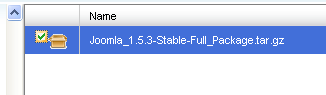
- Select the file name by checking the checkbox left to the file name.
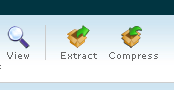
- Look at the top tool bar. Click the Icon which says Extract
- All files are unpacked, unzipped and placed in the same relationship as packaged. All folder names and contents the same.
- The next step(s) depend on the script's needs. You may have to do a database creation, file edits to integrate into your site or anything else. Refer to the documentation that is provided with the script. The rest is up to you.
