
Click here to download putty.exe
1. Launch PuTTY
2. Configure Connection parameters as given in below given screenshot.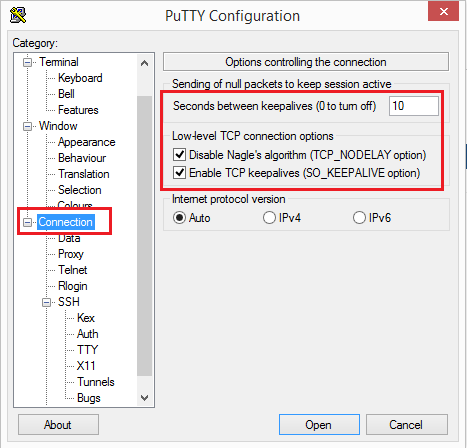
3.Configure user name to login as shown below...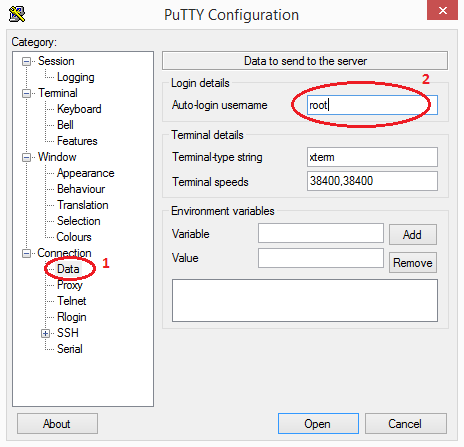
4.Configure .ppk private key you generated through puttygen.exe as shown in below given screenshot.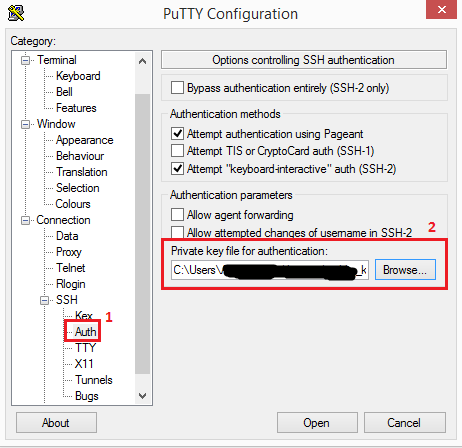
5. Configure Server IP Address, SSH Port and a name for SSH Session to save as shown below.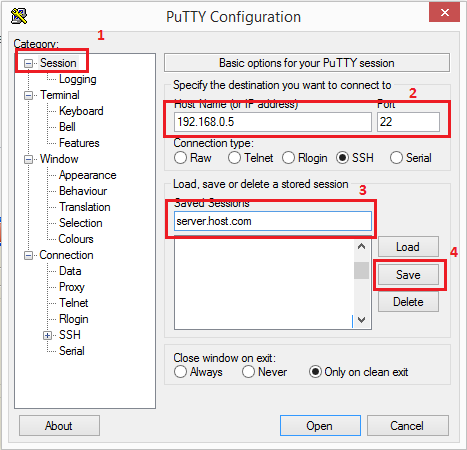
6. After saving session, click "Open" button to connect to server. Whenver you want to connect in future, saved session will be useful, you can select the session from list and click "Load" button, then "Open" to connect..
- 137 משתמשים שמצאו מאמר זה מועיל
