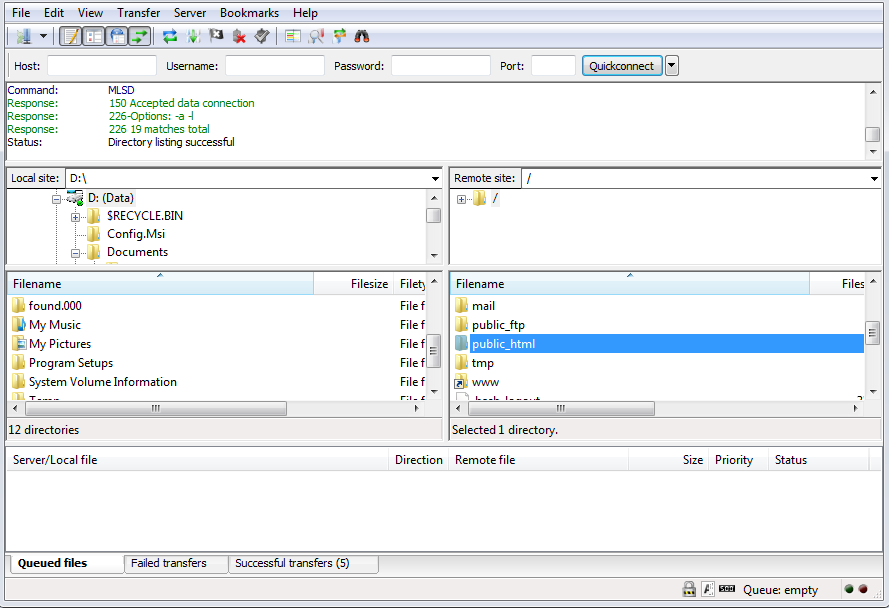
FileZilla is a free ftp client which can be used to upload/download files to/from your hosting account. You can
download and install filezilla from below given link.
http://filezilla-project.org/download.php
Start Filezilla ftp client application.
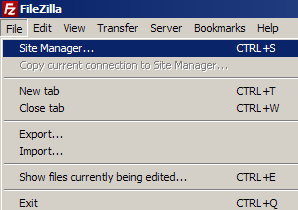
1. To upoad website contents using filezilla, configure ftp account parameters in filezilla. Access "Site Manager"
under File menu of Filezilla.
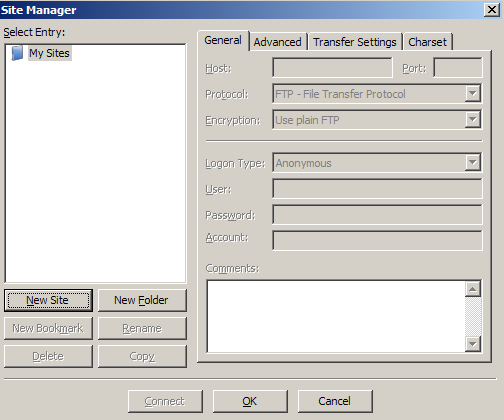
2. Click the New Site button on site manager dialogue box
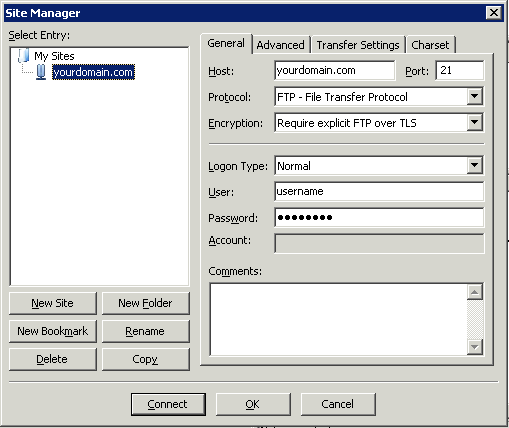
3. Configure below given parameters for your hosting account, label the new site entry under Mysite as
yourdomain.com and click the Connect button
Host: yourdomain.com
Port: 21
Protocol: FTP - File Transfer Protocol
Encryption: Require explicit FTP over TLS
Logon type: Normal
User: FTP Username for yourdomain.com
Password: FTP Username for yourdomain.com
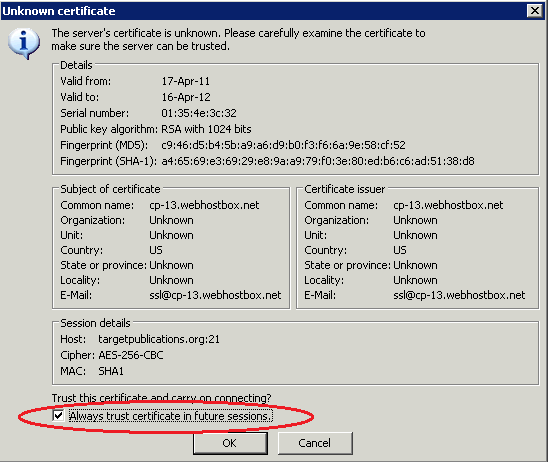
4. You will get a Unknown Certificate warning, check the check box "Always trust certificate in future sessions."
and click OK button.
5. Once connected, open the pubic_html directory and upload contents into it. If you find a index.html file,
this will be the default under contruction page, you can delete it.