
1. Login to plesk control panel.
2. Click on the domain you want to enable Webmail
3. Click on the Mail Accounts icon. 
4. Click on Mail Settings icon. 
5. Select "MailEnable Web Client 2.0" from the Webmail List.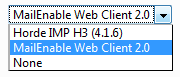
6. Click OK.
7. To access webmail use URL format. http://webmail.yourdomain.com/
- 13 Пользователи нашли это полезным
